
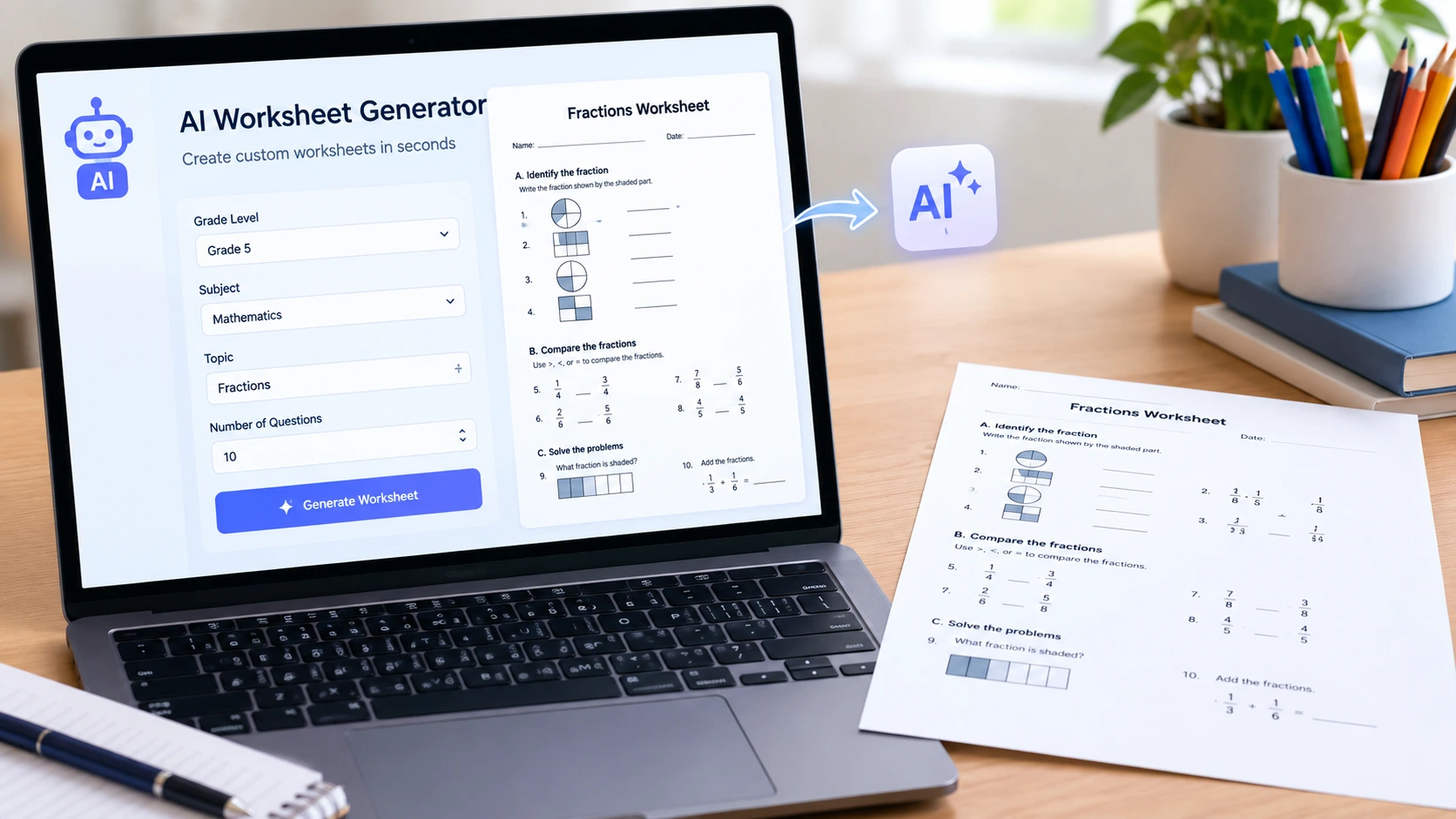
Lesson planning consumes hours each week and majority of the time is spent creating worksheets. A fix to this is provided by an AI worksheet generator which converts a topic or a paragraph of text into a printable worksheet within seconds. Teachers will simply include what they want to know and the tool will take care of the rest of the formatting.
This guide will discuss what an AI worksheet generator can actually do and what features are worth paying a little more, and how the tool fits in the overall classroom AI products, such as an AI lecture summarizer or an AI learning assistant.
What Is an AI Worksheet Generator and Why Teachers Need One
AI Worksheet Generator refers to a software program that creates quizzes, fill-in-blanks, comprehension or mathematical questions on any topic or uploaded text through the use of AI technology. Type Grade 6 photosynthesis worksheet, and the output will be a worksheet with questions, answers, and sometimes even a diagram.
The appeal is speed. What used to take 30 to 45 minutes of manual formatting now takes under five. That is a real reason AI tools for studying and teaching have become standard in classrooms rather than a novelty.
Typical applications are:
- Sample sheets of daily practice of a particular chapter.
- Differentiated mixed-ability worksheets.
- Homework packets created out of a textbook PDF.
- Cheat cards created on previous exam trends.
Top Features to Look for in an AI Worksheet Generator for Teachers
All tools are not constructed equally. To select an AI worksheet generator for teachers, make sure it has the following features before you can commit:
- Curriculum alignment – the tool must be able to accommodate your grade level and subject standards, not general content.
- Editable output – questions should be adjustable after generation, not something that the AI provides.
- Automation of the answer key – saves time on top of the prep time.
- Export formats – PDF and Word/Google Docs export to be printed in classrooms.
- Difficulty scaling – the ease of creating easy, medium, and hard versions of the same work sheet.
Skipping editable output or answer keys typically results in more, rather than less work, as you still need to develop the key itself.
Free vs Paid AI Worksheet Generators: Which One Do You Actually Need
Majority of educators begin with a free plan and reach their limits quickly. The two levels usually differ as follows:
- Free tools normally restrict the amount of worksheets monthly, have export formats restricted to PDF only, and omit advanced capabilities such as difficulty scaling.
- Paid will give unlimited generation, Word/Docs export (editable), curriculum alignment options, and batch generation of several classes at once.
A free plan is sufficient to evaluate quality in case you are testing the workflow the first time. When you start creating worksheets each week in several classes, a paid plan will typically buy back that time.
Best AI Tools for Studying That Pair Well With a Worksheet Generator
One of the workflow is resolved by a work sheet generator. Combining it with other AI tools for studying the content of the lesson and its revision takes into consideration the entire teaching and revision process, starting with teaching the lesson and ending with reviewing it with students.
AI Learning Assistant Tools for Students
An AI learning assistant can assist students outside of classroom time by answering questions, providing stepwise explanations, and even creating practice problems based on what the student is having problems with. Together with worksheets created by the teacher, the students receive a continuous cycle of practice and immediate explanation.
AI Lecture Summarizer Tools for Quick Review
An AI lecture summarizer is a tool that takes a recorded lecture or a batch of notes and summarizes them into main points, bullet points or flashcards. This is effective before a worksheet is given as the students will come in with a recap-run of it rather than fired-up on a subject.
The combination of these three tools (worksheet generator, learning assistant, and lecture summarizer) will take care of lesson preparation, practice during the lesson, and revision, without requiring additional manual effort.
How to Use an AI Worksheet Generator Step by Step
- Choose your topic and grade level. Be precise (Grade 8 algebra: linear equations) and not general.
- Select the type of question – multiple choice, short answer, fill-in-the-blank or a combination.
- Select the level of difficulty in case the tool is scaled.
- Write and proofread what has been obtained; sometimes AI questions require minor word corrections.
- Export and add answer key as an independent page and easy to grade.
- Use the prompt to save as a template and use it in subsequent classes.
Some companies that create bespoke classroom tools will go even further by directly wiring an AI chatbot into their learning environment so that students can create practice questions on-demand. This type of set-up is exactly what Oneslogic is offering with its AI chatbot integration service, which targets platforms interested in having an in-built AI assistant, as opposed to a generator on its own.
The more schools incorporate these tools, the more it can be used to see how AI regulation is defining what schools can and cannot implement with student data. This is covered in its AI safety and regulation coverage by Aidukes, which is worth a read prior to deploying any AI tool at scale.
FAQs
Can an AI worksheet generator be used at no cost?
The vast majority of tools have a free plan that has a restricted number of monthly generations. Paid plans eliminate the limit and include customizable export options.
Is it possible to generate answer keys using an AI worksheet generator?
Yes, the majority of tools provided nowadays produce an answer key in addition to the worksheet, but it is always a good idea to check accuracy before printing.
Does an AI worksheet generator work for all subjects?
Coverage differs according to tool. Subjects in math and language are most likely to be supported, highly specialized or visual subjects can require manual reviews.
What is the difference between an AI learning assistant and a worksheet generator?
A worksheet generator is a tool that lets teachers generate practice material that they can then handout, and a learning assistant is a tool that engages directly with students answering questions and expounding concepts in real-time.
Final Verdict
One of the most leverageable AI tools that a teacher can use is an AI worksheet generator since it eliminates the repetitive work of formatting without losing control over the content it offers. Combine it with an AI-based learning assistant on the student side and a lecture summarizer on the AI side to revise in a few seconds, and the pre-to-review process will become significantly shorter. Begin with a single subject, and experiment with the quality of the output, and then scale up when you feel that the workflow is reliable.
 Facebook
 Twitter
 Instagram
 Pinterest





Leave a Reply