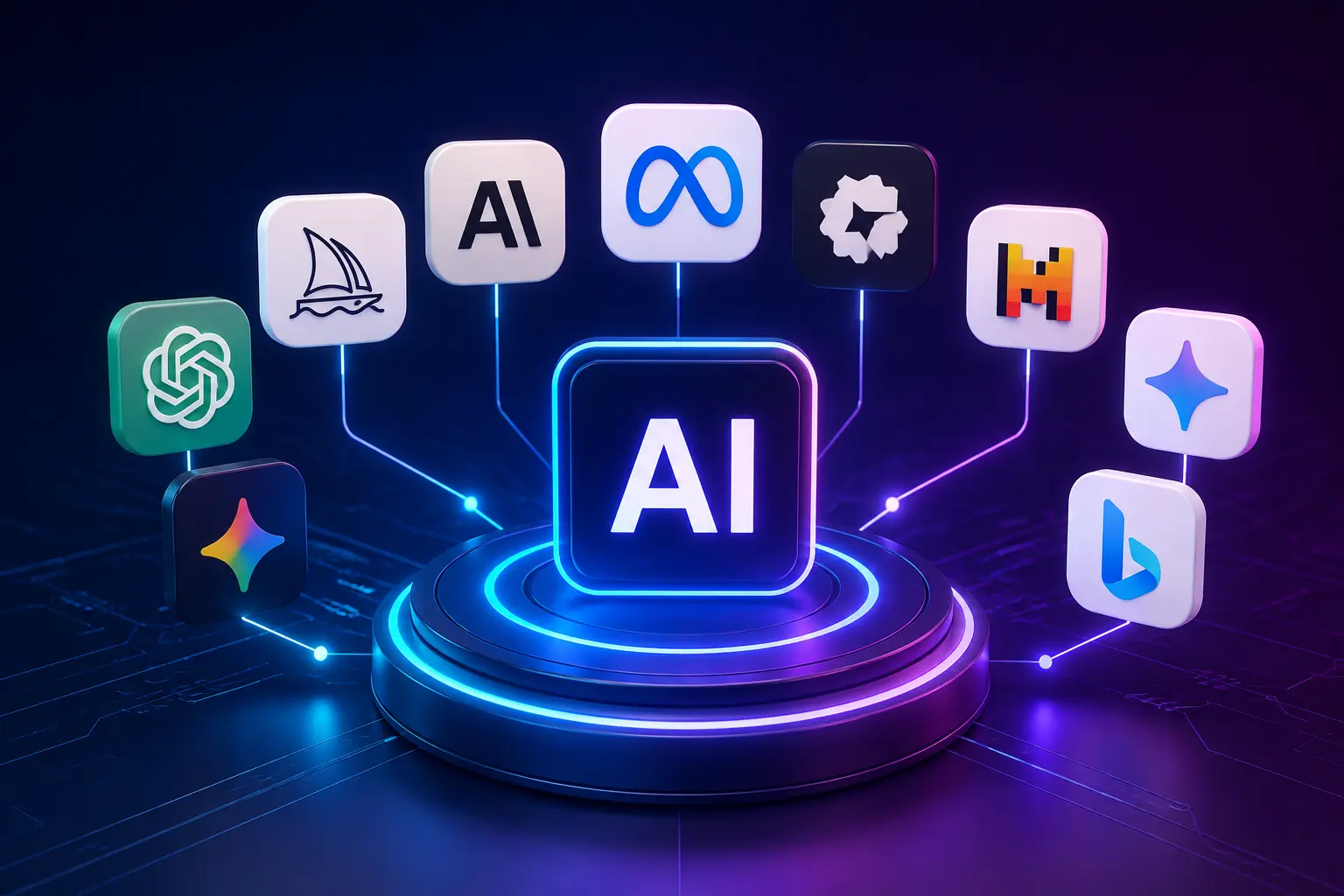
AI platforms have ceased to be the optional extravagances, in 2026 they will be embedded in nearly every workflow you can think of. Business leaders state that 91% of companies are already applying AI in some way or another, compared to 78% in only two years earlier, and this trend does not seem to be slowing down. New innovators create videos within minutes, software engineers write code with an AI co-pilot tracking each keystroke, and learners write a paper within hours with software reading hundreds of papers in seconds. This guide, courtesy of Aidukes, will take you through what each of these platforms actually do, which ones to add to your shortlist, and how to sift through the noise so you can find the right fit to your goals.
What Is an AI Platform?
But what is an AI platform? An AI platform is a software application powered by machine learning models that can perform tasks traditionally done by humans, such as writing, designing, programming, analyzing data, and even holding conversations. Many AI platforms use large language models (LLMs) or other neural network-based models trained on massive datasets. When you provide a prompt, the platform processes your input and delivers a useful response within seconds. Some platforms specialize in a single task, such as image generation, while others bundle writing, research, coding, and automation tools into one dashboard.
The audience includes freelancers, startups and enterprise teams, as well as students, because nearly every profession today is now involved with some kind of AI support. If you want to understand the underlying technology powering these platforms, DailyTechify’s AI vs ML vs Deep Learning: The Ultimate Comparison Guide breaks down the distinctions clearly. To further sub-categorize tools, visit the Aidukes AI.
Why AI Platforms Matter in 2026
Whenever AI platforms are implemented in the workplace, productivity levels increase significantly. McKinsey confirms that 88% of organizations in the global market currently use AI platforms in some form of their business, and those who have already implemented these AI platforms beyond pilot projects have reported a quantifiable ROI of an estimated 3.7x per dollar spent. Automation takes care of repetitive tasks, including the scheduling, entry of data, and first-draft writing, allowing employees to concentrate on strategy and creative problem-solving.
The second benefit is cost savings: customer support, content creation and reporting teams relying on automation reduce operational overhead in the first year of use. Moving forward, the largest trends in the next part of 2026 will be autonomous AI agents, multimodal tools that will process text, image, and audio simultaneously, and assistants that are incredibly tailored.
What Is the Best AI App?
Which is the best artificially intelligent application? The truth of the matter is that there is no clear tool that will perform better in any given category. Which AI application fits you best is based on three factors: Your application, your ability to afford and your patience to learn the app. A marketer requiring a fast social caption does not require a debugging tool that is developer friendly and a student writing a summary of research papers does not need a complete video production package. Before going into the entire list below, compare the tools based on speed, output quality, integrations, and price, as the best brand will be relative to the factor that is most important to your workflow. You may also view curated selections on Aidukes to shortlist quicker.
Top AI Tools 2026
The best AI platforms of 2026 span writing, image creation, video, coding, research, and productivity. All of the categories below include the three platforms that are always top-ranked in user reviews and adoption charts this year.
AI Writing Tools
- ChatGPT – Chatbot by OpenAI boasts over 800 million users all over the planet and can take care of emails and entire outlines.
- Claude – the assistant at Anthropic writes in a more nuanced and longer way, and drives workflows at 70% of Fortune 100 firms.
- Jasper – designed to serve marketing teams in need of on-brand copy-scaled to blogs, ads, and social networks.
AI Image Generation Tools
- Midjourney: One of the most popular models used by designers to create photo-realistic and highly stylized work based on a text prompt.
- Adobe Firefly – it is an extension of both Photoshop and Illustrator and a logical extension of those who are already in the Adobe ecosystem.
- DALL·E – Image generator created by OpenAI as a direct part of ChatGPT, allowing you to switch between text and images within the same chat.
AI Video Tools
- Runway – renders AI-made film and motion graphics with professional editing tools.
- Synthesia – translates scripts into high-quality AI-avatar videos in dozens of languages, usually in corporate training.
- Pika – concentrates on quick, brief video creation, which fits well into the processes of social media.
AI Coding Assistants
- GitHub Copilot – a code autocompleter, with about 90% of Fortune 100 development teams, and embedded in your editor.
- Cursor – an AI-based code editor that knows your entire codebase, and can even execute multi-file edits on command.
- Devin Desktop previously: Codeium, Windsurfagentic code, but with a command center to view all active AI agents in your projects.
AI Research Tools
- Perplexity – responds to complex questions with referenced materials, like a research assistant, which demonstrates its research.
- NotebookLM: A research tool created by Google, which converts your own documents into summaries, study guides and audio overviews.
- Consensus – searches peer-reviewed scientific articles directly, providing researchers with evidence-based answers rather than a generic web response.
AI Productivity Tools
Notion AI – writes, summarizes and organizes directly in your workspace and notes.
Grammarly – indicates grammar, tone and clarity problems on all the apps you type on, including email and Slack.
Otter.ai – documents meetings and creates searchable notes to ensure that no one has to scramble over minutes to take notes.
List of AI Tools by Category
The list of AI tools presented below categorizes each platform, their optimal applications, and costs to allow viewing the entire landscape at once.
| Tool | Category | Best For | Free/Paid | Key Feature |
|---|---|---|---|---|
| ChatGPT | Writing | General writing & chat | Freemium | Conversational versatility |
| Claude | Writing | Long-form & nuanced content | Freemium | Strong reasoning & context |
| Jasper | Writing | Marketing copy | Paid | Brand voice templates |
| Midjourney | Image | Artistic visuals | Paid | Photorealistic image quality |
| Adobe Firefly | Image | Design teams | Freemium | Native Adobe integration |
| DALL·E | Image | Quick concept art | Freemium | In-chat image generation |
| Runway | Video | Professional film editing | Freemium | AI video effects suite |
| Synthesia | Video | Corporate training | Paid | AI avatar presenters |
| Pika | Video | Short-form social clips | Freemium | Fast text-to-video |
| GitHub Copilot | Coding | In-editor autocomplete | Paid | Deep IDE integration |
| Cursor | Coding | Full codebase editing | Freemium | Multi-file AI edits |
| Devin Desktop | Coding | Agentic development | Freemium | Multi-agent command center |
| Perplexity | Research | Cited web answers | Freemium | Source-backed search |
| NotebookLM | Research | Document summarization | Free | Audio overviews |
| Consensus | Research | Academic research | Freemium | Peer-reviewed search |
| Notion AI | Productivity | Workspace notes | Paid add-on | In-app writing & summaries |
| Grammarly | Productivity | Writing quality | Freemium | Real-time grammar checks |
| Otter.ai | Productivity | Meeting notes | Freemium | Live transcription |
How to Choose the Right AI Platform
Begin by having a good look at your own workflow and not the tool of the month with all the social media buzz. Determine your use case: writing, coding, design, or research — because a tool created to perform one task is not typically very good at the other. Establish a fair budget, as the majority of platforms charge per volume of use instead of a fixed monthly payment. Check ease of use, as a sharp learning curve kills team adoption more rapidly than any deficiency.
For example, a solo content creator juggling blog posts, social captions, and email newsletters is usually better served by one flexible writing tool like ChatGPT or Claude than by three separate niche apps — fewer subscriptions to manage and less context-switching between platforms. A growing marketing team, on the other hand, often benefits more from a tool like Jasper that enforces brand voice across multiple writers, even if it costs more per seat. Run a two-week trial with your actual work before committing to an annual plan — most platforms let you test core features free, and real usage reveals limitations that a features page never will.
Free vs Paid Plans
Most AI platforms offer free plans that let you explore the core functions without incurring expenses, and are best suited to individuals, students and startups that are still validating their workflow. There are paid levels that allow increased usage limits, faster processing, more integrations, and priority support which are not normally available to free users. Personal creators and hobbyists typically find free options to be sufficient, whereas larger groups and businesses that monetize AI-assisted work would find paid plans much more valuable. Upgrade when you frequently reach usage quotas or want to collaborate with others that are not available with the free plans.
Best AI Platforms for Different Users
Businesses: Enterprise teams use ChatGPT Enterprise and Claude to store knowledge about the company, deploy chatbots to customer support, and perform mass content work, which requires uniform quality and quality across departments.
Marketers: Jasper and Notion AI assist marketers to create copy and captions to social campaign and content calendar without having to rely on a full creative team to create each asset.
Students: Perplexity and NotebookLM are popular with students who have to do their research faster, summarize long readings, and have a study guide before studying a subject.
Developers: GitHub Copilot, Cursor and Devin Desktop are the tools developers are turning to in order to accelerate the process of code review, avoid bugs early and reduce boilerplate code.
Designers: Designers rely on Midjourney and Adobe Firefly to create concept art, mockups, and other images in a fraction of the time it would be in normal design.
Content Creators: Pika, Runway and ChatGPT are integrated to script, shoot, and edit video content without a full-time production crew behind every post.
Small Businesses: The owner of small businesses prefers freemium products such as Grammarly, Otter.ai, and ChatGPT, since they provide real value without requiring an IT budget.
Benefits of Using These Tools
- AI platforms deliver measurable advantages across every team
- Quick operations that reduce manual labor hours to only minutes.
- Better decisions supported by data analysis that can not be made by a team of humans alone.
- Creation of large amounts of content that grow across blogs, social media, and video without a proportionate rise in the number of people.
- Automation that eliminates non-value activities like redundant tasks in day-to-day activities.
- Improved collaboration with shared workspaces of AI that maintain entire teams.
- Increased overall productivity – 70% of executives think generative AI will direct extend what knowledge workers can accomplish.
Common Challenges and Limitations
Like any technology, AI platforms come with real trade-offs:
Hallucinations – AI models occasionally fabricate accurate but false text, making it still required to fact-check outputs.
Data privacy – introducing sensitive information into open AI tools is a real security risk that should not be fed without precautions.
Copyright concerns – the legal framework of AI-generated works remains uncertain in the majority of jurisdictions.
Price – advanced levels of usage, as well as increased capacity, become costly quickly in the case of a developing team.
Learning curve – potent tools require real time investment before teams are fully ROI.
Ethical issues – training data bias may manifest itself in AI results and requires continuous human control.
What’s Next for AI in the Workplace
The most evident direction that will define the rest of 2026 is the development of AI agents, as now autonomous systems are performing multi-step processes, such as booking a meeting, writing code, and research, with the involvement of humans to a minimum. Multimodal AI still combines processing text, image, audio, and video into one model rather than individual special tools.
Individual work habits are also becoming more customized by personal assistants instead of providing all users with generic experience. Enterprise adoption continues to soar upward as well: 92% of the Fortune 500 companies now utilize the products of at least one of the largest AI providers in one way or another. It is a common belief among analysts that AI will cease to be a useful addition and will become central infrastructure in virtually all sectors by 2027.
Conclusion
The selection of the current AI platforms does not necessarily need to be daunting as long as you know what you require of a tool. Select a purpose, budget and technical comfort matching the above categories, begin with a free tier where feasible, and upgrade when a platform has shown its value in your day to day work. Each of the guides on Aidukes is designed to provide you with an easy to understand and current starting point, as opposed to a list of tools that is ambiguous. Mark this page and revisit it as new tools are introduced – your workflow, rather than the hype, should be the factor that determines whether a tool can be added to your toolbox permanently.
FAQs
So what is an AI tool?
An AI platform is a computer that executes a machine learning model to carry out a task, such as writing, writing code, creating images, or analyzing data, on your behalf. It accepts your input, processes it in a trained model and produces a helpful output within a few seconds.
What will be my choice of app in 2026?
There is no single winner among AI platforms for every situation, as the best choice will be determined by your use case and budget. ChatGPT and Claude dominate the overall writing, and Midjourney and GitHub Copilot dominate their fields.
What is an open AI platform?
ChatGPT, Claude, NotebookLM, Perplexity and Grammarly have truly usable free versions. Paid upgrades do not tend to limit functionality in a core manner, but rather increase usage and include features.
Which is the most suitable AI platform to use by businesses?
Both ChatGPT Enterprise and Claude are highly business-friendly and are highly scalable, with robust security controls, team work, and integrations into common business work apps. The decision to make depends on the needs of the departments.
Which is the most appropriate AI tool to write content?
Jasper is oriented towards direct marketing copy as a brand, and ChatGPT and Claude are more general in writing, such as blog posts and technical documentation. Test them against the actual content type you have to determine the most appropriate one.
To learn more about AI platforms and tool comparisons, go to Aidukes.
 Facebook
 Twitter
 Instagram
 Pinterest





Leave a Reply